Optimization with Multiple FEM Models
This sample explains how to use multiple FEM models simultaneously within a single optimization problem.
Sample Files
Note
Keep the
sample project
and
sample script
in the same folder.
What This Sample Will Do
This sample performs optimization using two different analysis models contained in a single project file.
The first model performs a 2D cooling analysis and uses the maximum temperature as an objective function.
The second model performs a 3D eigenvalue analysis and uses the difference between the operating frequency and natural frequency as an objective to maximize.
Note
By using this feature, you can perform thermal analysis and structural analysis simultaneously on the same geometry, enabling optimization that considers both thermal and strength requirements.
Note
You can set variables, objective functions, and constraints individually for each FEM model. The overall optimization problem integrates the objective functions and constraints from all models.
Design Variables and Analysis Settings
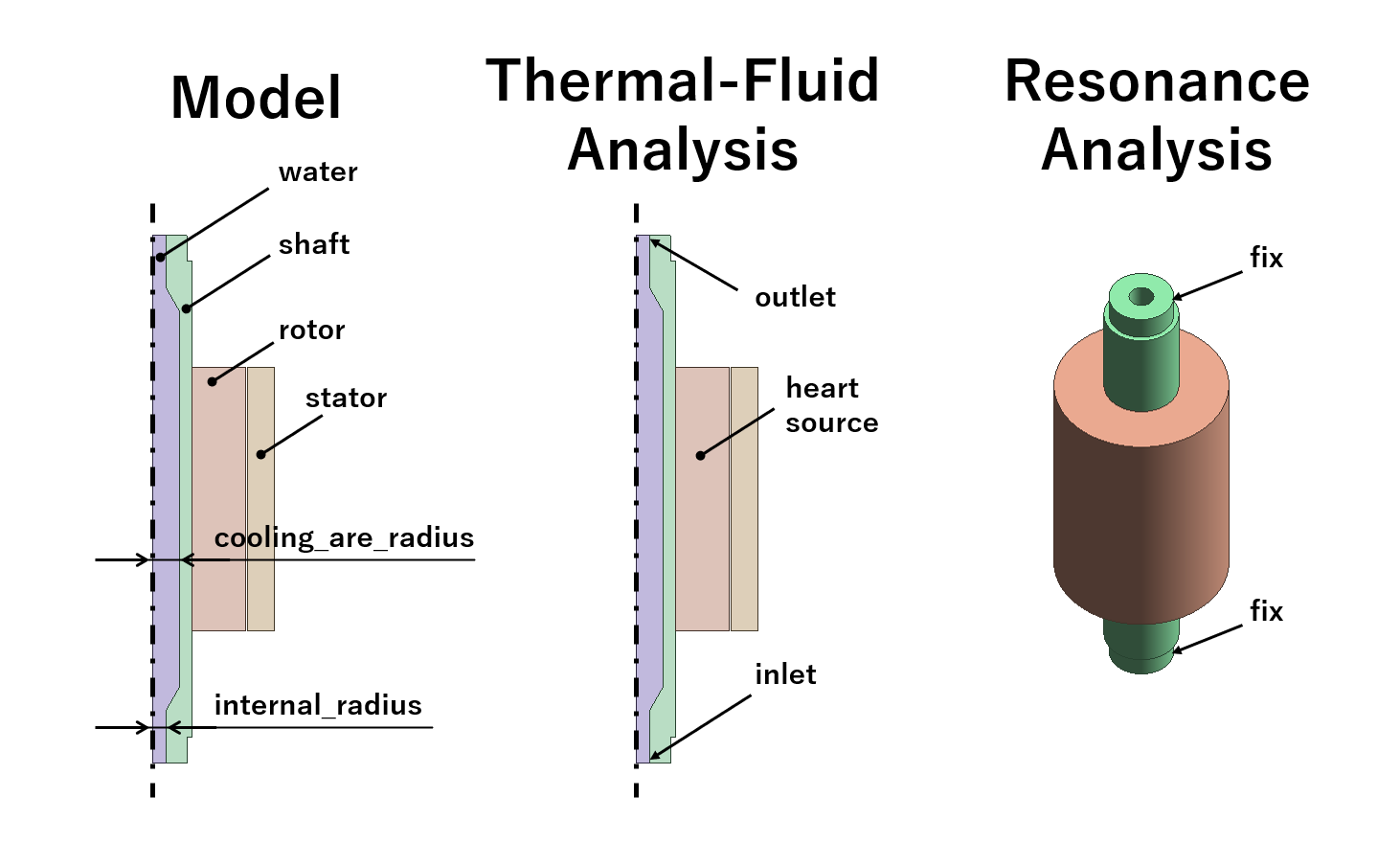
Overview of the model and analysis settings. The design variables are shared between the two analysis models.
Variable Name |
Description |
|---|---|
internal_radius |
The inner radius of the shaft. |
cooling_area_radius |
The radius of the cooling area. |
Objective Functions
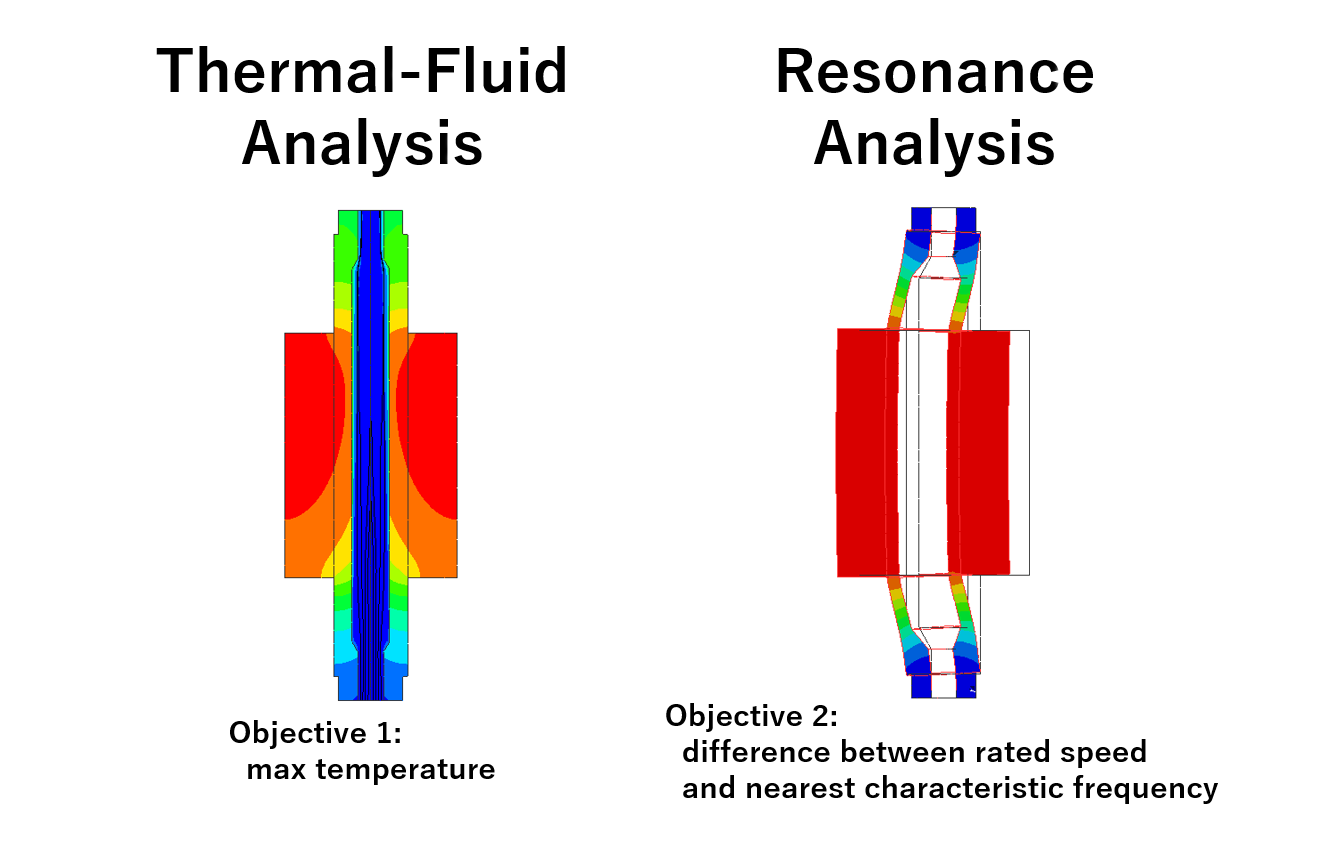
Objective function settings
Maximum Temperature (minimize) - obtained from the 2D thermal-fluid analysis model
Difference between Operating Frequency and Natural Frequency (maximize) - obtained from the 3D resonance analysis model
Execution Result of the Sample
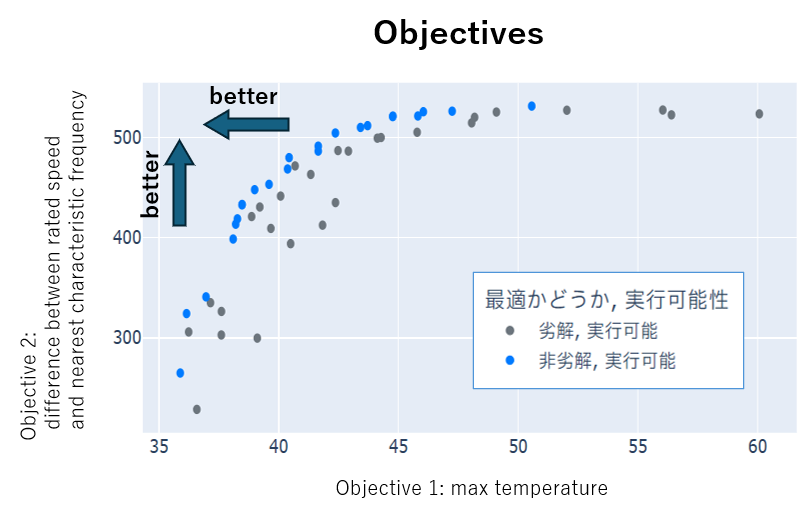
Screenshot of the result. Increasing each radius to improve cooling performance causes the natural frequency to decrease and approach the operating frequency.
Warning
When performing effective optimization on real-world problems, a greater number of trials is necessary.