GUI
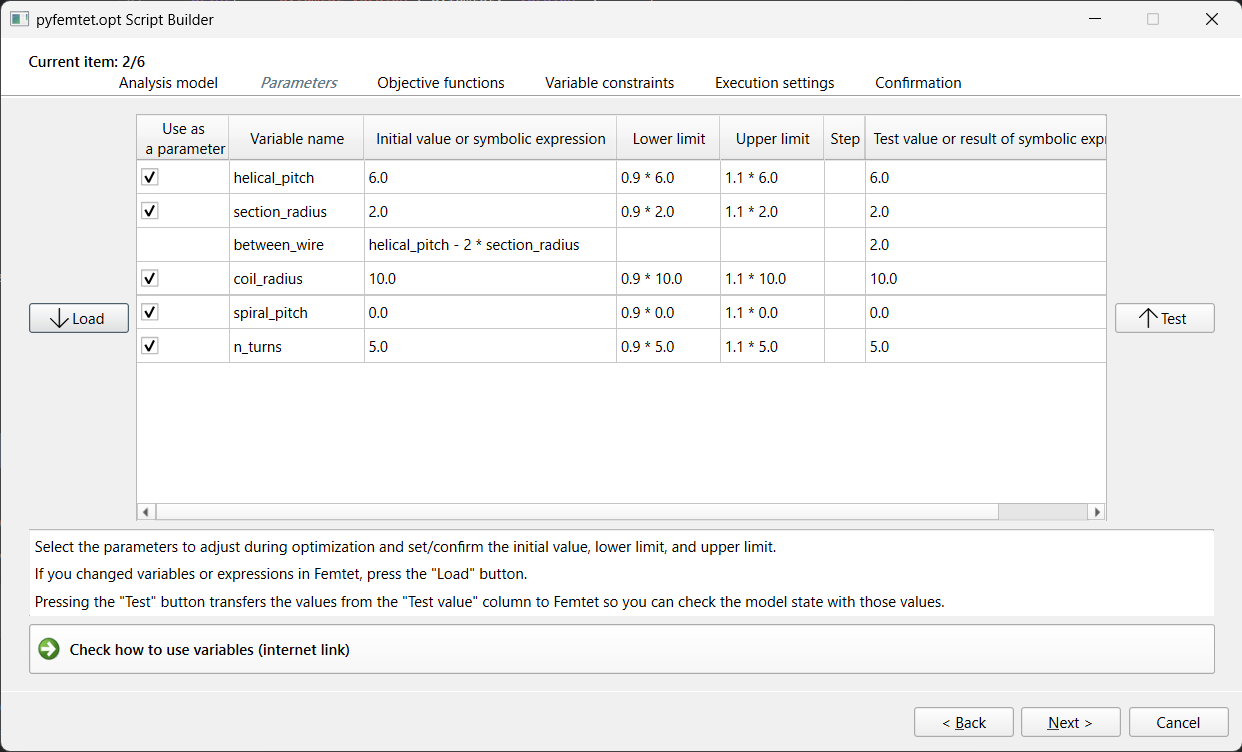
pyfemtet.opt has a GUI tool for script builder to run optimization: pyfemtet-opt-gui.
Note
PyFemtet core library is published under MIT, but the GUI tool is published under LGPL-v3.
Installation
Note
If you successfully ran onestop-installer, you already have the GUI tool.
More information, see Install PyFemtet or Manual Installation .
Launch GUI
Double click desktop icon.

Note
It may takes a long time for first time launching.
Usage
Before launch tool, you prepare a .femprj file that define the FEM problem with parametric modeling and parametric analysis output settings.
Then Launch the tool and setup optimization problem following the tool’s explanation.
Finally, you will get a .py script to run optimization with your .femprj file.
Manual Installation
If you fail to install pyfemtet-opt-gui via onestop-installer, run:
py -m pip install pyfemtet-opt-gui --no-warn-script-location
If you have no icon on your desktop, search pyfemtet-opt.exe in Scripts folder of your python environment.
To check where your python environment is, run following command in cmd:
py -c "import sys;print(sys.executable)"
The command above returns full path of your python.exe file. Typically the Scripts folder exists in where the python.exe exists.