Install Python
Download the installer for windows 64-bit and run it.
Tip
To download a version of Python that is not the latest, refer to the screenshot below and download the installer that suits your environment.


This screenshot shows an example of the location of the link to the installer for Python 3.11.7 for 64-bit Windows.

Installer screen.
Check the Installation of Python
If you want to check the installation later, please follow the steps below.
Press the Windows key and open the Command Prompt.
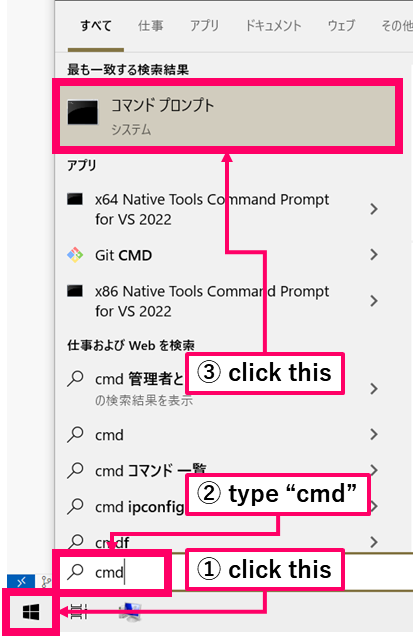
Type
pyand press Enter.If Python starts, the setup was successful. (If you see the message “‘py’ is not recognized as an internal or external command, operable program or batch file.”, it is possible that Python is not installed.)
